
Top Virtual Sales Meeting Tips for Success in 2026


Running an effective virtual sales meeting takes more than a reliable video link and a shared agenda. The best virtual sales meetings combine the right platform, structured engagement, interactive training, and disciplined follow-up into a repeatable format that keeps remote teams aligned and motivated. Over 75% of both buyers and sellers now prefer digital interactions over in-person meetings—making the ability to run outstanding virtual sales meetings a core competency for any sales organization in 2026. This guide covers the practical strategies, tools, and techniques that consistently produce results.
Key Takeaways
- Virtual sales meetings are essential for connecting remote teams, executing sales strategies, and maintaining motivation—especially in distributed organizations.
- Key advantages include cost savings, scheduling flexibility, faster meeting cadences, and access to recordings for training and review.
- The right platform—Zoom, Microsoft Teams, or Google Meet—combined with CRM software, collaboration tools, and lead generation tools drives meeting effectiveness.
- Interactive elements such as icebreakers, gamification, breakout rooms, and open Q&A sessions significantly increase engagement and retention.
- Post-meeting follow-ups, sales metric tracking, and consistent feedback loops are what separate high-performing virtual sales teams from average ones.
What Makes a Virtual Sales Meeting Effective?
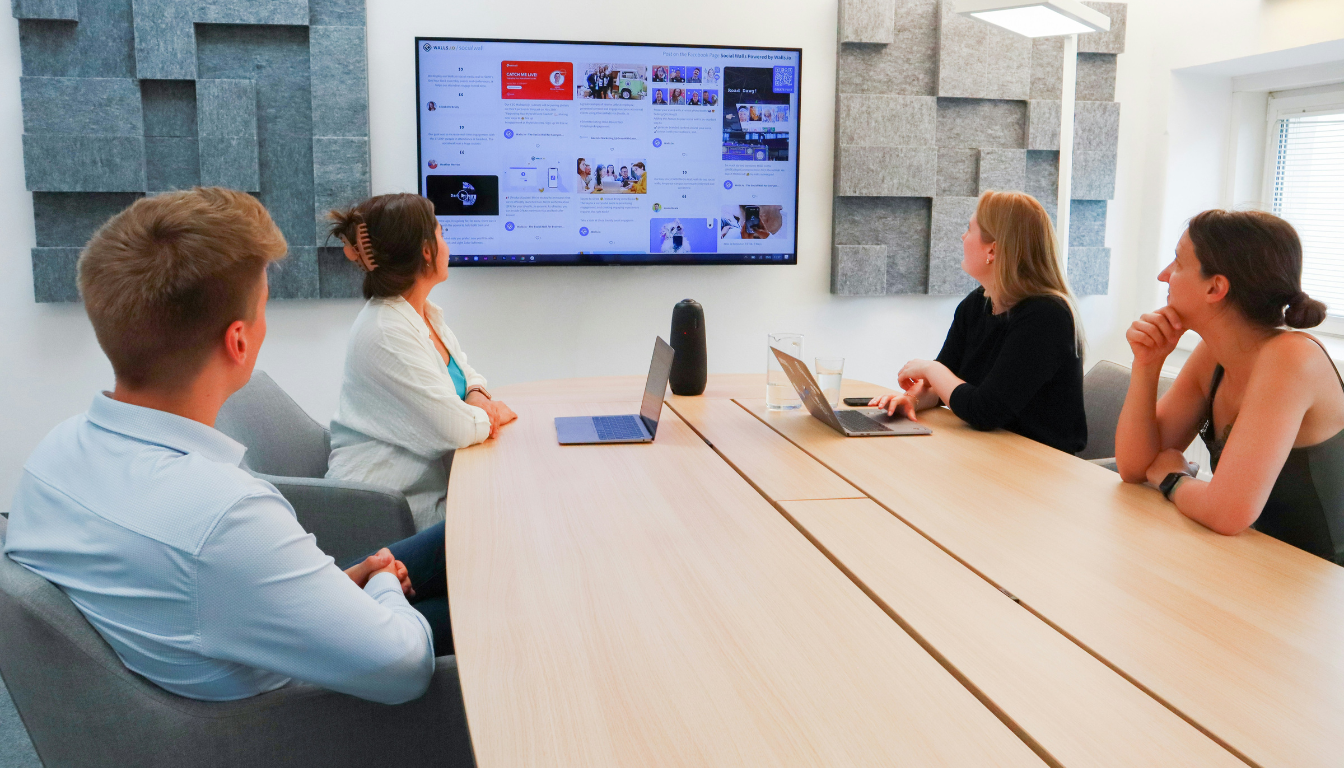
A virtual sales meeting is any structured sales interaction conducted through a digital platform rather than in person—whether that is an internal team kickoff, a client discovery call, a training session, or a pipeline review. What distinguishes an effective virtual sales meeting from a routine one is deliberate design: every element of the meeting, from the opening activity to the closing action items, is chosen to serve a specific purpose.
Effective virtual sales meetings keep distributed team members aligned around shared goals, give sales reps the confidence and information they need to engage clients well, and create a sense of team identity that sustains motivation between meetings. When virtual kickoffs are well-executed, sales representatives arrive at client conversations better prepared, more confident, and more consistent in how they communicate value. Platforms like Offsite help organizations design these experiences comprehensively, ensuring structure, facilitation, and environment all reinforce the same outcomes.
Key Benefits of Virtual Sales Meetings
The business case for investing in virtual sales meeting quality is straightforward. The most significant advantages are financial: eliminating travel and accommodation costs reduces per-meeting spend dramatically, freeing budget for tools, training, and headcount. Time efficiency follows directly—virtual meetings can be scheduled more frequently and with less lead time than in-person events, enabling faster decision-making and tighter feedback loops.
Beyond cost and time, virtual sales meetings offer structural advantages. Recordings are available for review, which supports training and coaching. Participants can join from any location, which increases attendance rates and removes geographical barriers to participation. Presentation materials and shared documents are accessible in real time, which improves information retention compared to purely verbal communication.
The shift in buyer preference reinforces the strategic importance of these skills: over 75% of both buyers and sellers prefer digital interactions post-pandemic. A sales team that excels in virtual sales meeting execution is better positioned to meet clients on their preferred terms—which is increasingly a digital-first environment.
Essential Tools for Running a Virtual Sales Meeting
The right toolkit is foundational to virtual sales meeting quality. No amount of preparation overcomes a platform that drops connections, a CRM that does not sync with meeting data, or a presentation tool that cannot support interactive content.
Video Conferencing Platforms
Zoom, Microsoft Teams, and Google Meet are the three most widely used platforms for virtual sales meetings. Each offers reliable video conferencing, screen sharing, breakout room functionality, and recording capabilities. The right choice depends on what the rest of the organization already uses and whether the platform integrates cleanly with your CRM and sales stack. Consistency matters more than novelty—sales teams perform better on platforms they know well.
CRM and Collaboration Tools
CRM software is essential for connecting virtual meeting activity to the broader sales process. It ensures that prospect interactions, follow-up commitments, and pipeline updates are logged and accessible, so nothing falls through the cracks between meetings. Collaboration tools with digital whiteboards and shared document functionality—such as Miro, Google Workspace, or Microsoft 365—enable real-time co-creation during meetings rather than passive consumption. Document signing tools like DocuSign or HelloSign streamline contract approvals without requiring in-person coordination.
Lead Generation and Engagement Tools
Lead generation platforms such as Crunchbase, Owler, GetProspect, and Vidyard automate the process of identifying and engaging potential prospects, freeing sales reps to focus time on high-value interactions. For engagement during meetings, tools like Mentimeter and Slido enable real-time polling, word clouds, and Q&A that transform a one-directional presentation into an interactive session. Integrating these tools into a consistent virtual sales meeting workflow produces measurable gains in both preparation quality and in-meeting engagement.
How to Choose the Right Platform for Your Virtual Sales Meeting

Platform selection shapes the entire meeting experience. The right choice is not necessarily the most feature-rich option—it is the one that reliably supports the specific activities your virtual sales meeting requires while integrating smoothly with the tools your team already uses.
Key features to prioritize include multiple simultaneous video sessions, screen sharing, breakout rooms for smaller group work, gamification capabilities for competitive exercises, and support for large participant counts when needed. The ability to record sessions for later review adds significant training value. Platforms that integrate directly with your CRM reduce manual data entry and keep pipeline records current automatically.
Zoom, Google Meet, and Microsoft Teams each meet these criteria for most sales organizations. Evaluate them against your current tech stack, your team’s existing familiarity, and the specific meeting types you run most frequently—kickoffs, pipeline reviews, client calls, and training sessions each have slightly different requirements.
How to Plan a Successful Virtual Sales Meeting
Structure is the most underrated element of virtual sales meeting quality. A well-structured meeting maintains energy, ensures key content is covered, and respects participants’ time—which in a remote environment is directly correlated with engagement. The following planning practices consistently improve outcomes.
Distribute the meeting itinerary and any pre-reading materials at least 24 hours in advance. This allows participants to arrive prepared rather than processing new information while simultaneously trying to engage. Set explicit time limits for each agenda segment and assign a timekeeper if the meeting is long. Schedule meetings during core business hours and, where teams span time zones, rotate timing to share the burden equitably. Gather feedback from participants after each meeting and adjust format and timing based on what they report.
Incorporating interactive elements throughout the agenda—polls, live Q&As, group challenges, and breakout discussions—prevents the passive drift that causes virtual meeting fatigue. The general principle is to introduce an interactive element at least every 20–25 minutes in longer sessions.
Icebreaker Activities to Open Your Virtual Sales Meeting
Opening a virtual sales meeting with an icebreaker sets a positive, energized tone and signals to participants that this will be an active session rather than a passive one. The best icebreakers are brief, inclusive, and tie loosely to the meeting’s theme without requiring significant preparation from participants.
Sales Buzzword Bingo gives participants pre-made cards filled with common industry terms; they mark off squares as the terms come up naturally during the meeting, which simultaneously encourages active listening and generates humor. Online scavenger hunts—where participants race to find a household item matching a prompt—get people physically moving and provide a quick window into their personal environments. Two Truths and a Lie surfaces personal stories and shared experiences that build familiarity. The Sales Superpower game, where each team member names an imaginative sales ability they wish they had, generates laughter and reveals personality in a way that standard introductions never achieve. Sales Success Stories Swap, where team members share a recent win in 60 seconds, combines engagement with the morale-building benefits of peer recognition.
Team Building Exercises for Virtual Sales Teams

Team building within a virtual sales meeting serves a distinct purpose from icebreakers: it develops the trust, communication habits, and mutual understanding that sustain performance between meetings. Remote sales teams are particularly susceptible to the isolation and disconnection that erode team cohesion over time, making deliberate team building a structural necessity rather than an optional addition.
Virtual coffee breaks—brief, unstructured video sessions scheduled outside of formal meeting time—simulate the informal office interactions that remote work eliminates. Role-play exercises and mock sales demos give sales reps a safe environment to practice real-world scenarios, refine their value communication, and receive constructive peer feedback. Digital card games and group trivia provide lighter-touch social connection. Group discussions and open Q&A sessions create a forum for team members to share experiences and insights—which builds the collective knowledge base that makes teams more effective than the sum of their individual members.
Engaging Presentation Techniques for Virtual Sales Meetings
Presentation quality in a virtual sales meeting directly determines whether participants retain information and leave motivated to act. Passive slide decks read aloud by a presenter are the single most effective way to lose a remote audience. The following techniques consistently improve both engagement and information retention.
Use visual design tools like Canva to create polished, visually distinct presentations that hold attention rather than blending into the background. Incorporate short video clips, animations, and transitions strategically to maintain energy. Embed live polls using Mentimeter or Slido at natural pause points to check comprehension and gather real-time input. Product demos conducted live, rather than shown as recordings, create engagement through the possibility of unexpected outcomes and participant questions. Start sessions with a brief personal story or a piece of surprising data to activate attention before transitioning to structured content. Address virtual fatigue proactively by keeping uninterrupted presentation segments to 15–20 minutes maximum.
Using Breakout Rooms Effectively in Virtual Sales Meetings
Breakout rooms are one of the most powerful and underutilized features of modern virtual sales meeting platforms. They enable smaller, focused discussions that the full-group format cannot support—creating space for deeper engagement, more candid conversation, and the kind of collaborative problem-solving that drives real learning.
Use breakout rooms for small-group role-play exercises, focused pipeline discussions, brainstorming sessions, and debrief conversations after training content. Platforms like Zoom allow hosts to monitor breakout room activity, reassign participants between rooms, and broadcast messages to all rooms simultaneously. The ‘Ask for Help’ feature lets participants signal the host without disrupting other rooms. For longer virtual sales meetings, reconfiguring breakout room assignments between sessions ensures participants interact with a broader range of colleagues rather than defaulting to the same familiar groups. End-to-end encryption in breakout rooms ensures that sensitive client or deal-specific discussions remain private.
Interactive Training Sessions for Virtual Sales Teams
Training is most effective when it is active rather than passive. Virtual sales meeting platforms provide the tools to deliver training that requires participation, practice, and immediate application rather than one-directional information transfer.
Split participants into small teams for role-play pitch exercises, where one person presents and the others provide structured feedback. Simulate difficult client scenarios—tough objections, pricing pushback, competitive questions—and practice responses in real time. Interactive quizzes after training segments provide immediate comprehension feedback and reinforce learning through retrieval practice. Virtual lunch meetings—informal sessions during which work-related discussion is intentionally deprioritized—build the interpersonal relationships that make feedback and coaching more effective. Follow each training session with a brief one-on-one meeting structure where managers work with individual reps to identify a specific skill-sharpening focus for the weeks ahead.
Recognizing Top Performers in Virtual Sales Meetings
Recognition is one of the highest-leverage levers available to sales leaders in a virtual environment. When team members feel seen and valued, their motivation and commitment increase—and that effect is visible in their prospecting activity, pipeline quality, and close rates.
Company-wide shoutouts via Slack or recognition platforms like Motivosity are quick, public, and cost-free. Virtual awards ceremonies—Employee of the Month, Top Closer, Most Creative Pitch—create a sense of occasion and celebrate performance in a way that group messages do not. Leaderboards displayed during virtual sales meetings create transparent, real-time visibility into team performance that motivates both top performers and those chasing them. Virtual raffles, a day of additional PTO, or a meal delivered via DoorDash for a virtual team lunch are small investments that produce outsized recognition value. Incorporating lighthearted or humorous awards alongside performance-based ones ensures recognition feels celebratory rather than purely competitive.
Incorporating Guest Speakers into Virtual Sales Meetings

Guest speakers provide perspectives that internal voices cannot replicate. An external sales leader who has built a team through a difficult market, a customer who explains candidly what made them choose your product, or an industry expert who maps emerging trends—each brings a freshness and credibility that internal presentations struggle to match.
Speakers from diverse backgrounds and industries consistently produce the richest dialogue because they challenge assumptions the team has developed through shared experience. Motivational speakers are most effective when their content is relevant to the team’s specific current challenges rather than generic inspiration. Brief the speaker in advance with context about the team’s situation, goals, and the specific outcomes you want participants to take away from the session.
Leveraging Gamification in Virtual Sales Meetings
Gamification introduces competitive energy and memorable experience into virtual sales meetings—two qualities that standard presentations rarely generate. When implemented well, it increases engagement, reinforces training content, and builds the team camaraderie that sustains performance over time.
Timed pitch contests challenge sales reps to deliver their best value proposition in 60–90 seconds, with peer voting on clarity and persuasiveness. Cold-calling contests simulate live prospecting calls with coaches playing the prospect role. Trivia games covering product knowledge, competitive positioning, or company history make training content more memorable through the testing effect. Virtual Bingo variations—themed around meeting content, sales processes, or company knowledge—maintain attention and reward active listening. Friendly leaderboard competitions tracking activity metrics (calls made, demos booked, proposals sent) create visible momentum and give team members a concrete, near-term goal to pursue between meetings.
Post-Meeting Follow-Ups That Drive Results
The quality of a virtual sales meeting is ultimately measured by what happens after it ends. Follow-up is where the insights, commitments, and energy from the meeting are either converted into action or lost entirely.
Send follow-up communication—email, personalized video message, or phone call—within 24 hours of any client-facing virtual sales meeting. Address any objections or open questions raised during the meeting directly, which demonstrates attentiveness and builds trust. Use follow-up software to automate touchpoint sequencing while maintaining a personalized tone for individual contacts. Research consistently shows that closing a sale requires multiple contacts after an initial meeting—structured follow-up sequences ensure persistence without becoming intrusive. Use polls or brief surveys after internal meetings to gather participant feedback, and act on that feedback visibly in subsequent meetings to demonstrate that input is valued.
Tracking Sales Metrics to Improve Virtual Meeting Outcomes
What gets measured gets managed. Tracking the right metrics from virtual sales meetings gives sales leaders visibility into what is working, where coaching is needed, and whether meeting investments are translating into pipeline and revenue outcomes.
Key metrics to track include meeting attendance rates, engagement scores from interactive platform analytics, follow-up response rates, pipeline movement in the weeks following kickoffs and training sessions, and individual sales activity metrics such as calls made, demos booked, and proposals sent. Align tracked metrics with the specific objectives set for each meeting type—training session metrics look different from pipeline review metrics, which look different from client kickoff metrics. Review metric trends regularly and use them to drive coaching conversations with individual reps rather than waiting for formal performance reviews.
Adapting Virtual Sales Meetings Based on Feedback
A virtual sales meeting format that is not continuously refined will become stale. The most effective sales teams treat each meeting as a data point and iterate on format, content, and structure based on what participants report and what the metrics reveal.
Solicit explicit feedback after each meeting using brief structured surveys rather than open-ended questions, which produce more actionable data. Ask specifically about pacing, content relevance, engagement quality, and whether participants felt prepared to act on the meeting’s content. Review recordings of virtual sales meetings to identify where attention drifted and which segments generated the most discussion. Document changes made based on feedback and communicate them to participants, which reinforces that their input shapes future meetings and increases the quality of feedback over time.
Summary
Running an outstanding virtual sales meeting in 2026 requires deliberate design across every stage: the right platform and tools, a structured agenda with interactive elements, engaging icebreakers and team building, effective training delivery, meaningful recognition, and disciplined follow-up. Each of these components reinforces the others—a well-chosen icebreaker sets the tone for genuine engagement; genuine engagement produces better training retention; better-trained reps generate better follow-up activity; and better follow-up closes more deals.
The organizations that treat virtual sales meeting quality as a core competency rather than a logistical necessity are consistently the ones whose remote teams outperform. Use the strategies in this guide to build a virtual sales meeting format that your team looks forward to and that delivers measurable results in 2026 and beyond.
FAQs
- What are the main benefits of virtual sales meetings?

Virtual sales meetings reduce travel and accommodation costs, enable more frequent meeting cadences, provide recordings for training and review, and allow participants to join from any location. Over 75% of buyers and sellers now prefer digital interactions, making virtual sales meeting proficiency a competitive advantage rather than just a convenience.
- What tools are essential for running effective virtual sales meetings?
Core tools include a reliable video conferencing platform (Zoom, Microsoft Teams, or Google Meet), CRM software to track interactions and pipeline, collaboration tools with digital whiteboard functionality, document signing tools like DocuSign or HelloSign, and engagement platforms like Mentimeter or Slido for live polling. Lead generation tools such as Crunchbase and Vidyard support prospecting workflows between meetings.
- How do I choose the right platform for my virtual sales meeting?
Prioritize platforms that offer screen sharing, breakout rooms, recording capabilities, gamification features, and clean integration with your CRM. The right platform is the one your team already knows well and that fits your existing tech stack—familiarity consistently outperforms novelty in virtual meeting effectiveness. Zoom, Microsoft Teams, and Google Meet are the most widely used options for sales organizations.
- What are the best icebreaker activities for virtual sales meetings?
Sales Buzzword Bingo, online scavenger hunts, Two Truths and a Lie, the Sales Superpower game, and Sales Success Stories Swap are all effective options. The best icebreaker for a given meeting depends on group size, how well participants already know each other, and the tone you want to set for the session.
You may also like


Stay Updated with Our Insights
Get exclusive content and valuable updates directly to you.